Backup communication with your Sovereign
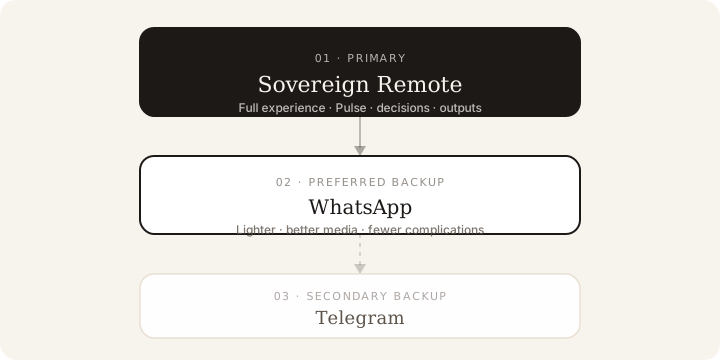
Use Sovereign Remote as your primary channel. WhatsApp is the preferred backup; Telegram is secondary.
Sovereign Remote on your iPhone is the primary — and recommended — way to work with your Sovereign. Pulse, decisions, outputs, and brand-consistent presence live there. WhatsApp and Telegram are backup channels only: useful when you need a message path, not a replacement for the app.
Why the app comes first
In Sovereign Remote you get the full stack: Crypto Chat on your network, mission work, documents, and the controls that keep your Sovereign consistent with how you live and work. Messaging apps can carry a conversation in a pinch — they do not carry that full experience.
Backup channels
| Priority | Channel | Role |
|---|---|---|
| 1 · Primary | Sovereign Remote | Everyday use — full experience |
| 2 · Preferred backup | When you need a lighter message path | |
| 3 · Secondary | Telegram | Legacy / secondary backup only |
WhatsApp is the preferred backup. Owners report it feels lighter, handles media more cleanly, and introduces fewer complications than Telegram.
Telegram remains available as a secondary or legacy backup — for example if you already used a Telegram bot and need continuity. For migrating an old Telegram bot thread into your brain, see Import Telegram bot chat. Ongoing work should still return to Sovereign Remote.
Note
Backup messaging is a safety net, not the main desk. Set up and live in Sovereign Remote first.
Set up the primary experience
- Install Sovereign Remote on iPhone 15 or newer.
- Link your iPhone to your Sovereign brain — Find and link your Sovereign.
- Walk the first messages with First 15 minutes and Chat with your Sovereign.
Recommended hierarchy
- Sovereign Remote — primary, every day.
- WhatsApp — preferred backup when you need one.
- Telegram — secondary backup only.
Keep the full experience where it belongs: in the dedicated app.
For why Remote is the stronger privacy path, see Remote vs WhatsApp security.
Was this article helpful?